Last War Hive Planner.
Map alliance and mega hives.
A dedicated Last War hive planner for base placement, saved layouts, coordinate search, snapshots, missile threat simulation, and mega hive planning across multiple alliances.
- Alliance & mega hive planning
- Missile threat simulation
- Saved snapshots
- Coordinate search
Where officers spend their reset.
Screens from the actual FarmOps dashboard — the same views your team works in after every reset.
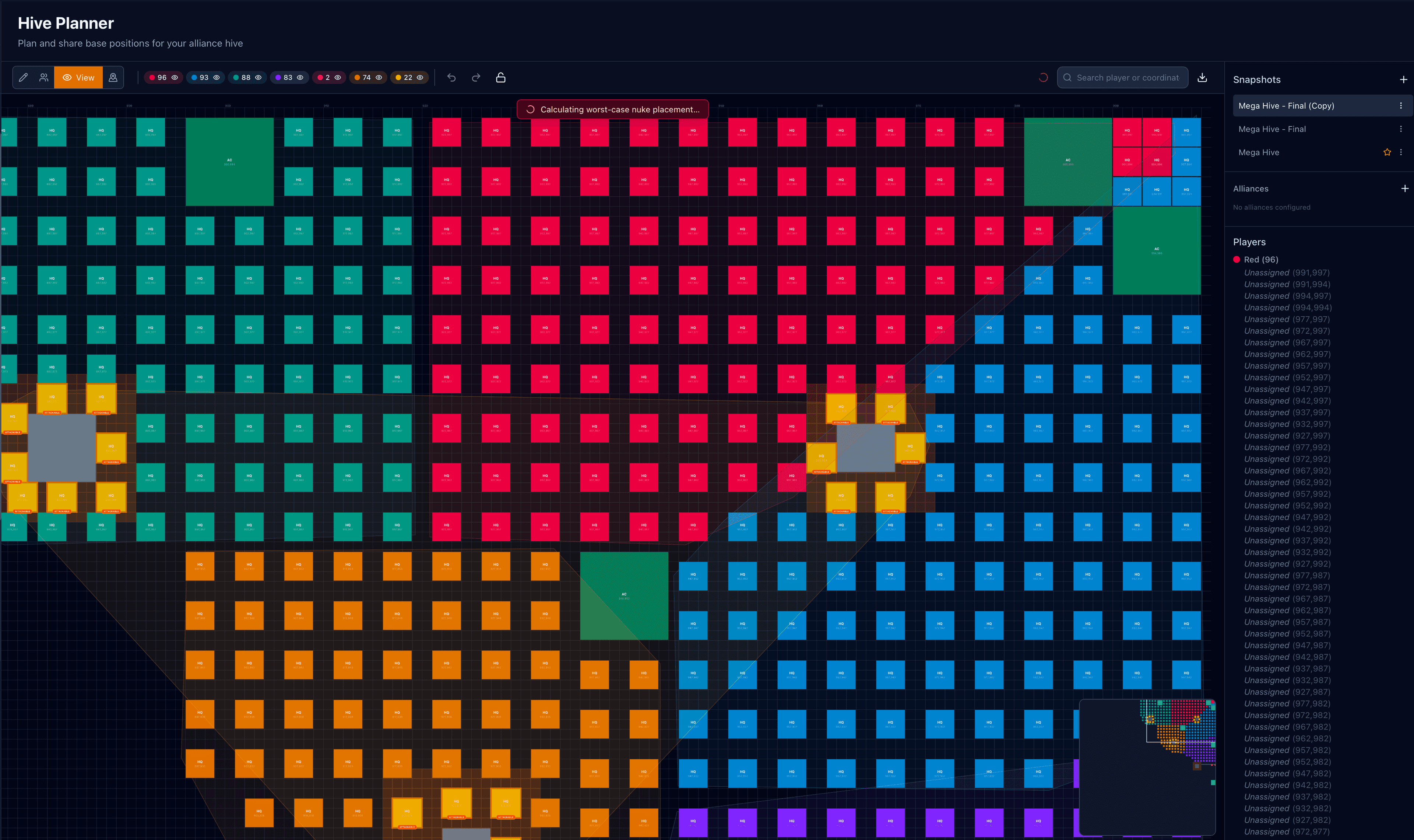
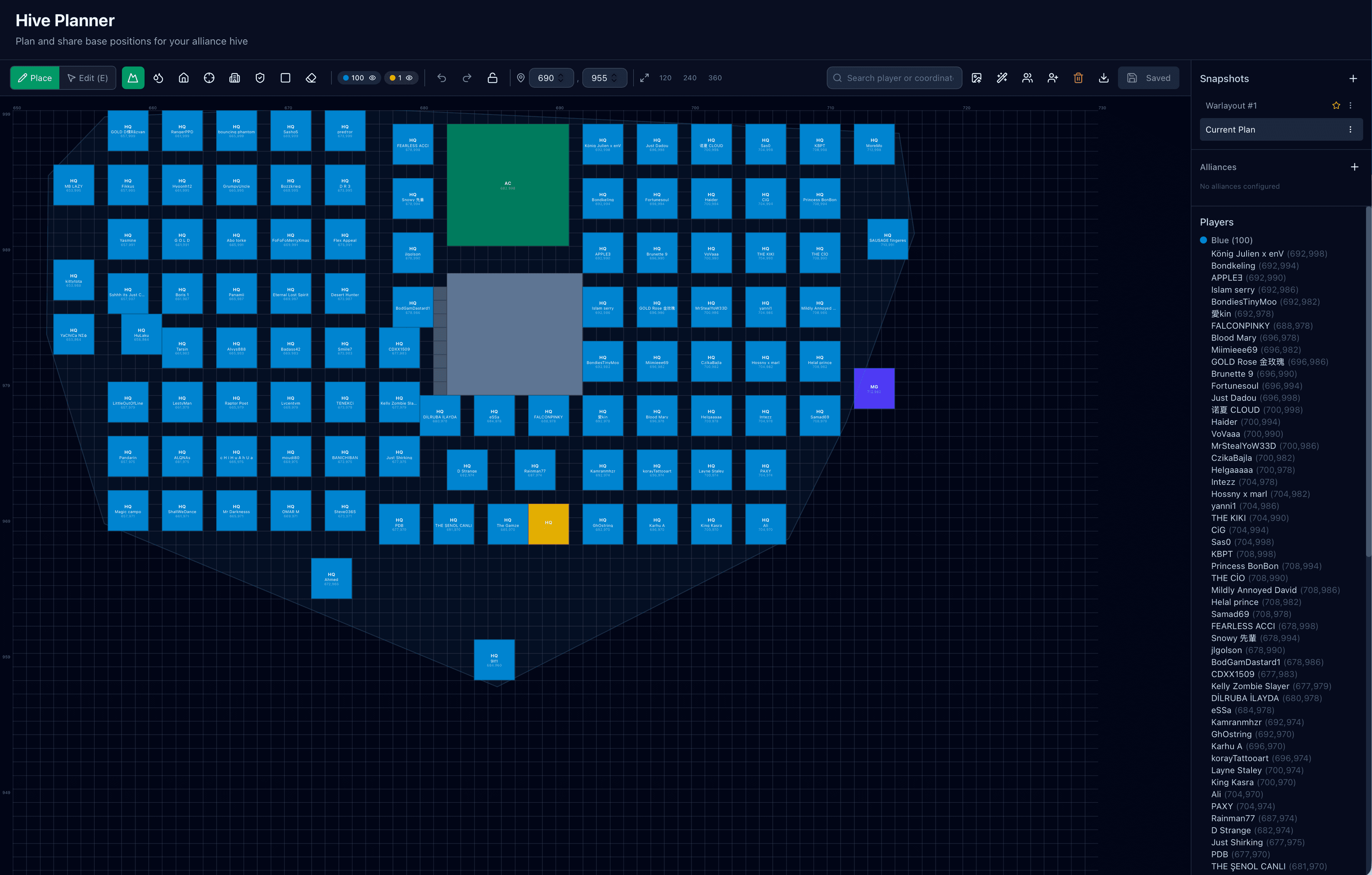
Hive planning built for real alliance logistics.
Place members visually, keep versions, and work from one live planning space instead of sending marked-up screenshots back and forth.
See the strike before it lands.
Configure enemy ACs, run the optimizer, and the planner returns the worst-case nuke placement plus which bases are inside the blast. You move the vulnerable HQs before reset — not after.
How officers use the hive planner.
Turn chaotic positioning discussions into a clean sequence the whole team can follow.
When a dedicated hive planner makes the difference.
Situations where a shared visual plan beats screenshots in chat.
Alliance hive setup before reset
Prepare the full base layout before the move starts so members can slot in quickly with less confusion.
Mega hive coordination
Run a combined plan for more than one alliance when you need a broader defensive or seasonal setup.
Officer handoffs and revisions
Keep the latest plan saved so one officer can pick up where another left off without rebuilding the map from memory.
Late joins and emergency moves
Handle new arrivals, absent players, and last-minute rearrangements without remaking the entire hive by hand.
Stress-test before reset
Run the missile threat simulator against a finished plan to see which alliances or zones are most exposed, then adjust AC placement and HQ density before the season starts.
Simple, Transparent Pricing
Start free, upgrade when you're ready.
Free Trial
Try everything free for 7 days
- Up to 3 team members
- 5 screenshots per upload
- AI-powered data extraction
- VS point & duel tracking
- Donation monitoring
- Storm participation tracking
- Custom events
- Season tracking
- Activity log
- Duplicate player detection
- Video upload support
Alliance Pro
For serious alliance leaders
- Everything in Free Trial
- Unlimited team members
- 25 screenshots per upload
- Custom public subdomain
- Shareable invite links
- Priority support
- Discord Bot included (BETA)
Discord BETA is available to every alliance with Alliance Pro or an active Pro trial. Explore Discord features
Auto Sync
Daily roster sync plus Live Sync inside custom events. Pulls each member's power, kills, HQ level, profession, and profession level automatically — no screenshots required.
Server Tracker
Track a whole game server. Alliance + player rankings, power, kills, public ranking page — daily auto sync included, no extra add-on needed.
Things people ask before signing up.
01Can this plan more than one alliance?
02Can I save more than one version of the hive?
03Is this only for officers?
04How does the worst-case missile threat simulation work?
05How does the hive planner fit with the alliance tracker?
Use them separately or together.
FarmOps covers more than one workflow.